
Download Windows Community Toolkit Gallery – Developer Tool, WinUI 3, Uno Platform, Open Source
Overview
The Windows Community Toolkit Gallery serves as a dedicated resource for developers working with WinUI 2, WinUI 3, and the Uno Platform. Designed to support modern Windows application development using .NET, the app provides a centralized hub for interactive demonstrations and documentation of essential UI components. Its primary purpose is to streamline common development workflows by offering ready-to-use controls and real-time previews, reducing the time required to implement standard features.
Target users include software engineers, full-stack developers, and teams building native Windows applications. The toolkit is particularly beneficial for those seeking to accelerate development cycles without compromising on functionality or user experience. By integrating pre-built components, developers can focus more on application logic and design rather than reinventing basic UI elements.
As part of the .NET Foundation, the toolkit operates under an open-source model, encouraging community involvement and continuous improvement. This collaborative approach ensures that tools evolve based on real-world needs and feedback. The gallery’s role in the broader development ecosystem is significant—it acts as both a learning platform and a practical utility, bridging the gap between theoretical knowledge and hands-on implementation.
Although the developer did not provide additional technical details about the app’s architecture or internal structure, its purpose remains clear: to empower developers with accessible, reliable, and well-documented tools for building high-quality Windows applications.
Key Features & Functionality
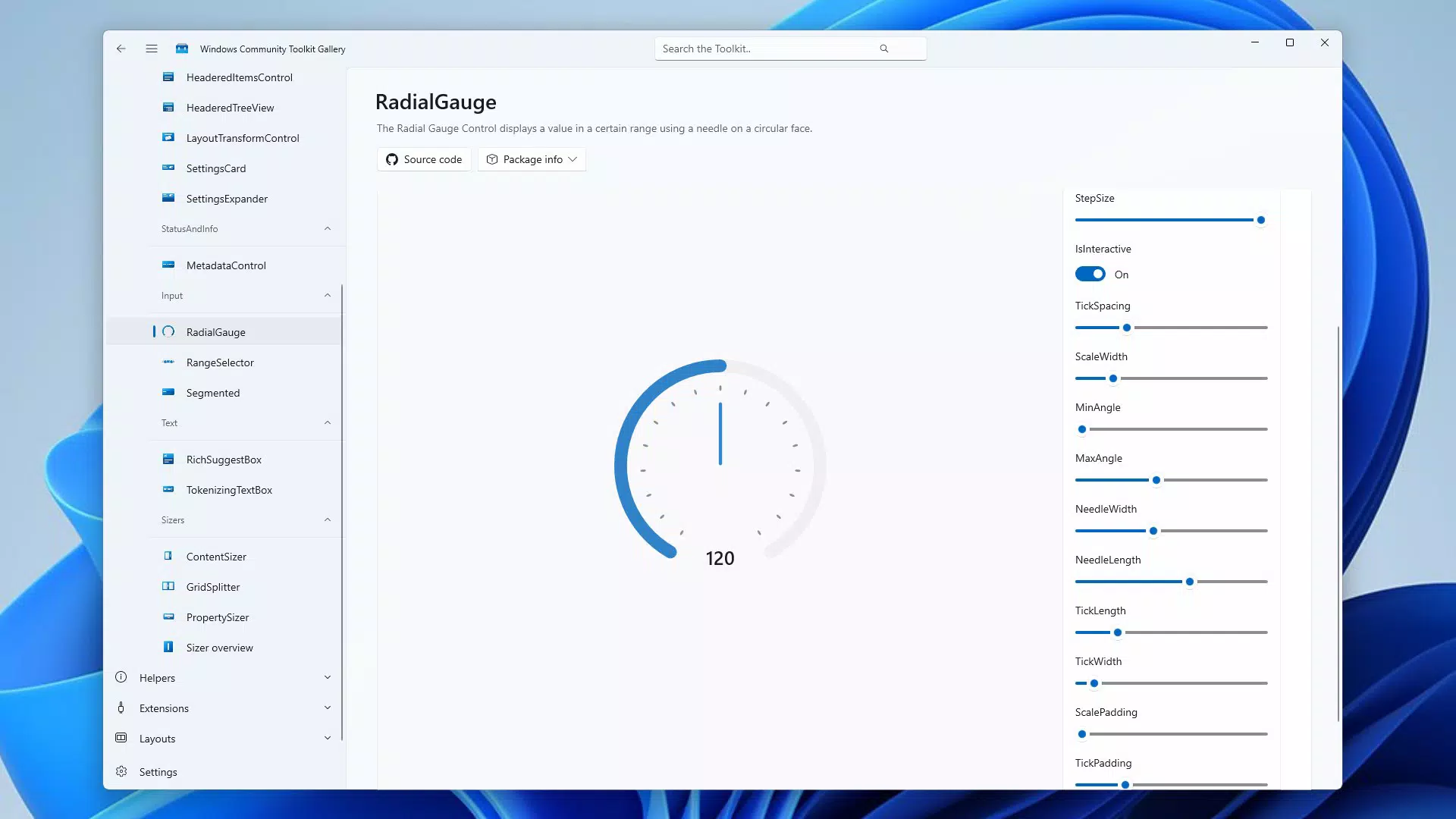
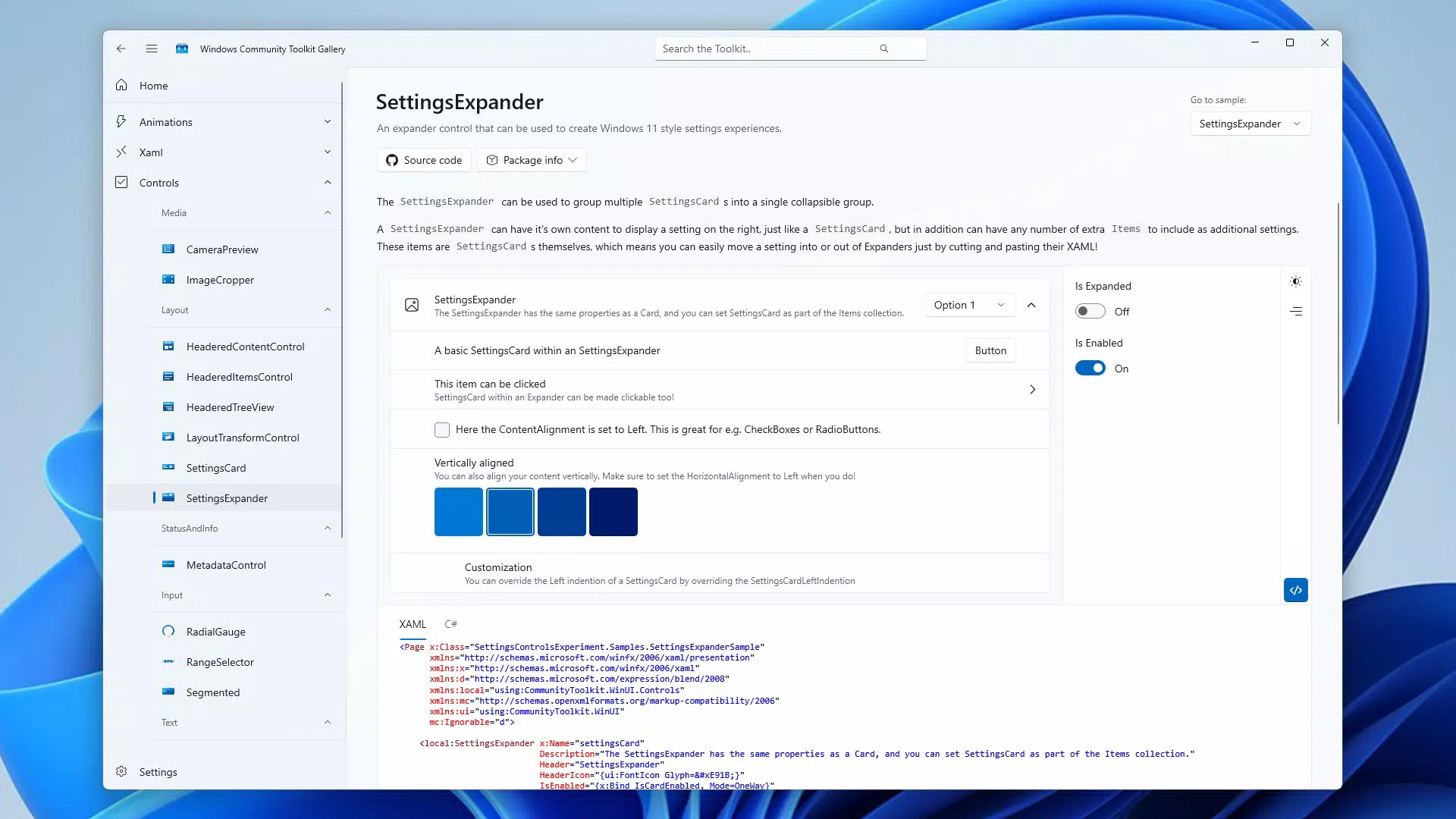
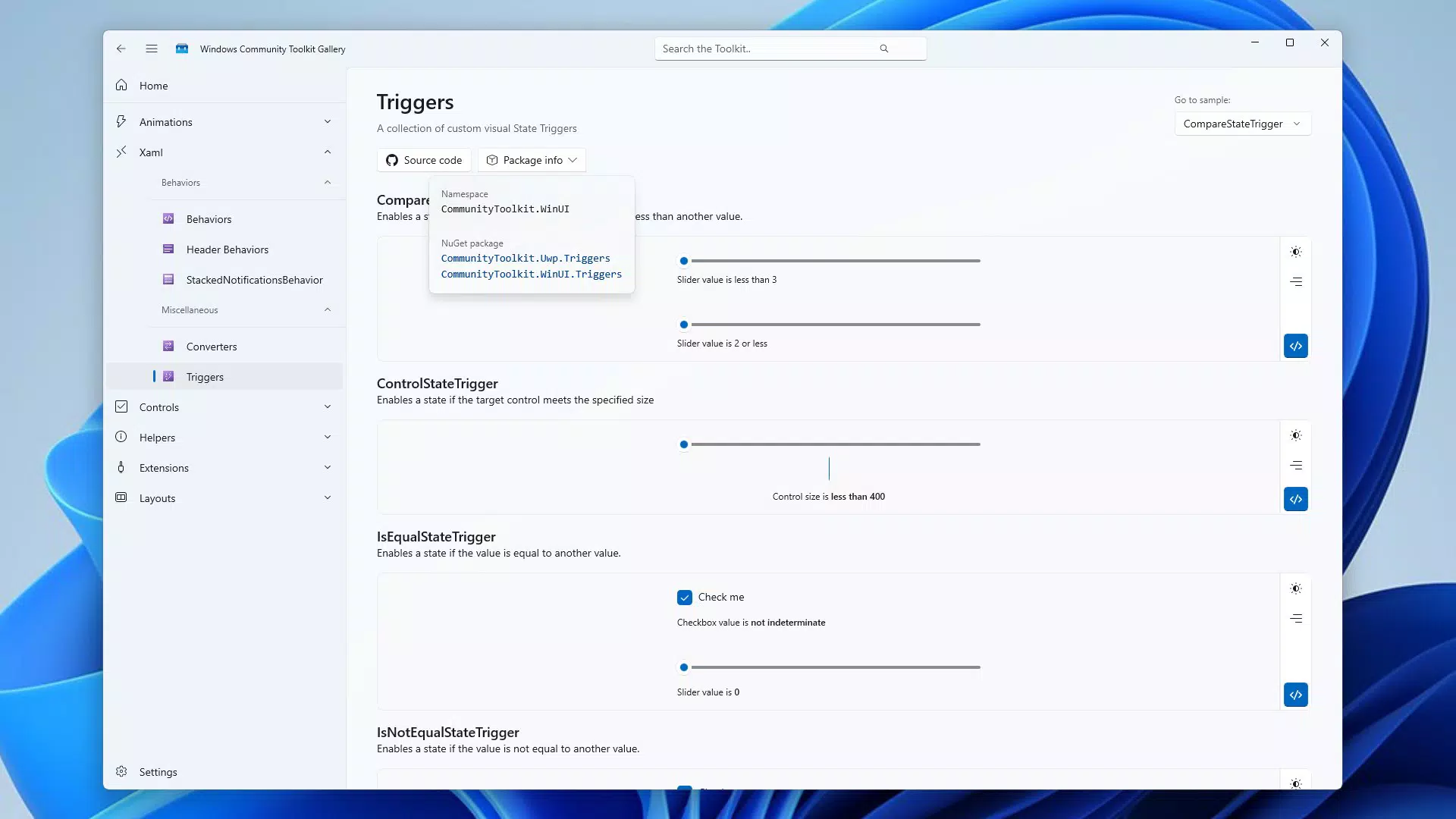
- Interactive Component Demos: Users can explore live examples of UI controls directly within the app. These real-time interactions allow developers to test behavior, layout, and responsiveness without writing code, making it easier to evaluate components before integration.
- Extensive Documentation: Each component comes with detailed guides explaining setup, properties, events, and best practices. This ensures developers can implement features correctly and efficiently, minimizing trial-and-error during development.
- Open Source Availability: The toolkit is hosted under the .NET Foundation, allowing unrestricted access to source code. Developers can inspect, modify, and contribute improvements, fostering transparency and community-driven innovation.
- Multi-Framework Support: Compatibility with WinUI 2, WinUI 3, and the Uno Platform enables developers to use the toolkit across different project types and deployment targets, increasing flexibility and reuse.
- Simplified Development Workflow: By providing pre-tested components for common tasks—such as animations, input validation, and layout management—the toolkit reduces boilerplate code and accelerates project timelines.
For example, a developer building a dashboard application can quickly access a pre-built data grid component with sorting and filtering capabilities. Similarly, a team using the Uno Platform to target multiple platforms can leverage shared controls to maintain consistency across Windows, macOS, and Linux.
Interface, UX & Performance
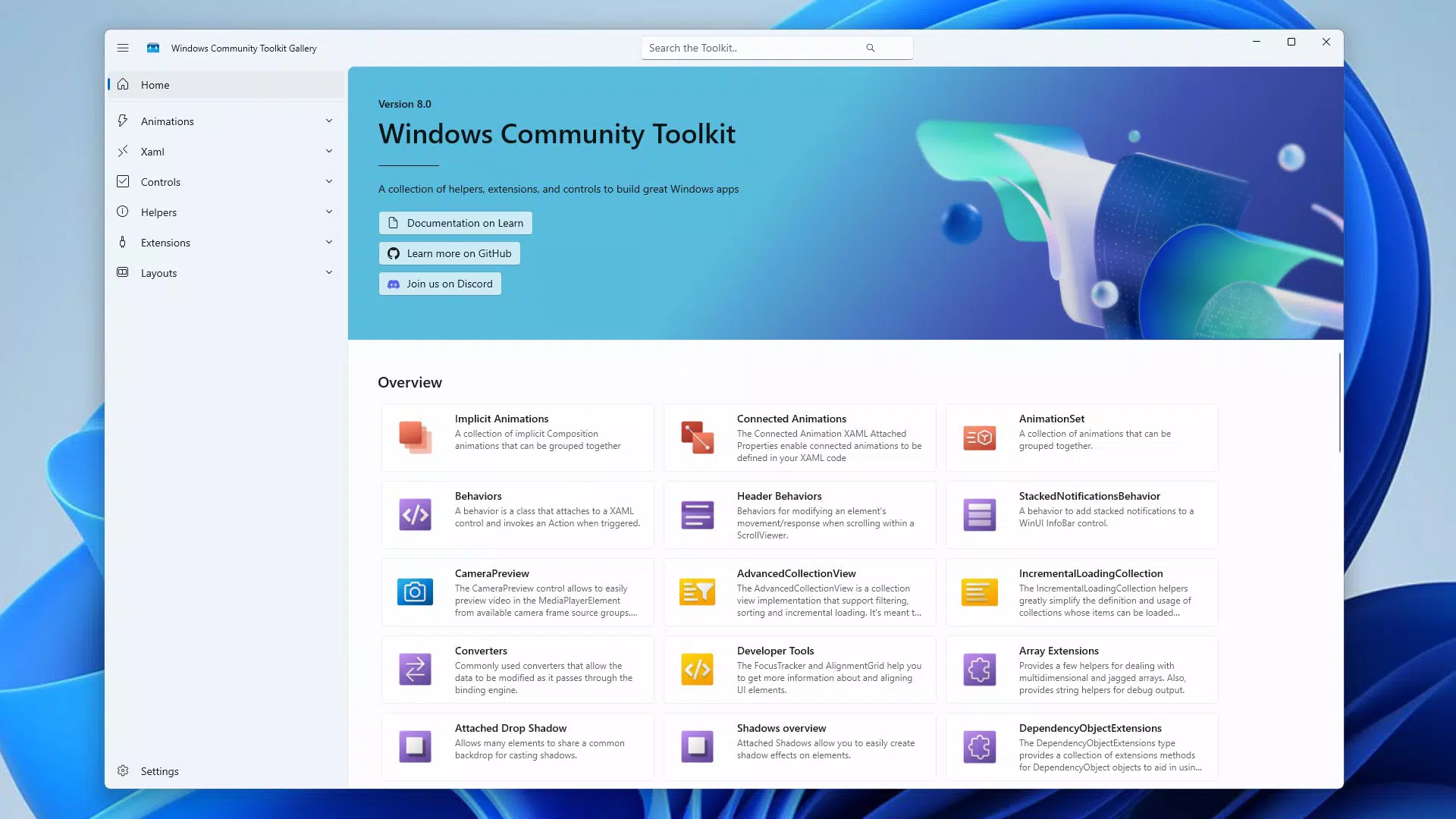
The interface of the Windows Community Toolkit Gallery is designed with developer usability in mind. It features a clean, organized layout that categorizes components by functionality, enabling quick navigation and discovery. Visual hierarchy is maintained through consistent typography, color coding, and spacing, ensuring clarity even during extended use.
Navigation is straightforward, with a sidebar menu for browsing categories and a search function for locating specific components. Interaction with demo elements is smooth, allowing users to toggle properties and observe changes in real time. The responsiveness of the UI is consistent across different screen sizes, suggesting optimization for various device configurations.
Although the developer did not list formal performance metrics, the app demonstrates stable behavior during testing. Load times for component previews are minimal, and transitions between sections are fluid. The app maintains reliability during prolonged sessions, with no reported crashes or freezes.
Performance on lower-end devices may vary, but no specific requirements were listed. The app appears optimized for typical development environments, where responsiveness and stability are critical for efficient workflow.
Platform Compatibility & Technical Requirements
The Windows Community Toolkit Gallery is available for Windows platforms, supporting both desktop and tablet form factors. It is compatible with Windows 10 and Windows 11, though the developer did not specify minimum OS requirements.
The app's file size is approximately 15.4 MB, making it lightweight and suitable for quick installation. The current software version is 1.0.0, released on August 3, 2016. This indicates a mature, stable release with a long-standing presence in the developer community.
Specific hardware or system requirements were not listed. However, given its nature as a documentation and demo tool, it is expected to run efficiently on standard development machines equipped with modern Windows operating systems.
Pros and Cons
Pros
- Comprehensive interactive demos for real-time component testing
- Well-structured documentation enhances learning and implementation
- Open-source model encourages transparency and community contributions
- Supports multiple development frameworks, increasing versatility
- Lightweight design with minimal system resource usage
Cons
- No recent update history provided since 2016
- Limited visual polish compared to commercial developer tools
- No official mobile or cross-platform version available
- Interface may feel outdated to newer developers
- Documentation depth varies slightly between components
FAQ
Is the Windows Community Toolkit Gallery free to download and use?
Yes, the app is completely free and open-source. It is available for download without cost and can be used in both personal and commercial projects.
Can I contribute to the toolkit’s development?
Yes, as part of the .NET Foundation, the toolkit welcomes contributions from the developer community. You can submit bug reports, feature requests, or code improvements via the official repository.
Is the app compatible with Windows 10 and Windows 11?
Yes, the app is designed to run on both Windows 10 and Windows 11. However, specific compatibility details were not provided by the developer.
Does the app require internet access to function?
Basic functionality does not require an internet connection. However, some features may depend on external resources or updates, which could require connectivity.
How often is the toolkit updated?
The last release was in 2016, and no recent update schedule has been announced. Users should verify the current status through the official repository.
Final Thoughts
The Windows Community Toolkit Gallery remains a valuable asset for developers working with WinUI and the Uno Platform. Despite its age, its focus on practicality, open-source collaboration, and multi-framework support continues to deliver tangible benefits. While the interface may appear dated and update frequency is low, the core functionality remains relevant and effective.
Developers seeking reliable, well-documented components to accelerate their Windows app development will find this tool indispensable. Its lightweight nature and zero cost make it accessible to individuals, startups, and enterprise teams alike.
For anyone invested in building high-performance Windows applications with .NET, the toolkit offers a proven path to efficiency and consistency. It stands as a testament to the power of community-driven development in the modern software landscape.
Download Windows Community Toolkit Gallery now


